Choose how your home takes part
Pick treats, the decorating contest, a haunted house or a kids activity, answer the questions that open, and choose how you get your curb markers.
- Step 1, Your home, is finished and step 2 is open.
On this page
Step 2 is titled How will your home take part? You can choose one option or several. The form only asks questions about the options you choose.
Choose your options#

- Hand out treats.
- Enter the decorating contest.
- Host a haunted house.
- Host a kids activity.
| Option | What the box says |
|---|---|
| Hand out treats | Show your home on Halloween Live and update your candy status during the night. |
| Decorate my home | Show decorations and scare guidance. Entering the decorating contest is optional. |
| Host a haunted house | Add a walkthrough, actors, effects, age guidance, and showtimes. |
| Host a kids activity | Add a driveway game, craft, photo spot, show, or other family activity. |
- Click the box for each way your home will take part.Each box you pick changes from CHOOSE to SELECTED, and its questions open below.
Answer the treat questions#
These questions open when you choose Hand out treats. First pick how trick-or-treaters get candy.

- Questions appear only for what you chose.
| Choice | What it means |
|---|---|
| Someone will hand it out | A person answers the door or waits at the curb. |
| We'll leave a candy bowl out | No one is at the door. Your home shows as a regular treat stop, so only you know it is a bowl. If visitors say it is running low or empty, you get an email. |
- Choose how trick-or-treaters get candy.Your choice is marked with a filled circle.
- Check every box that matches what you give out.A check mark shows in each box you pick.
| Box | What the box says |
|---|---|
| Curbside treats | Treats at the curb or end of the driveway. |
| Candy | Regular wrapped candy. |
| Full-size bars | Full-size candy bars. |
| Non-food treats | Toys, stickers or other allergy-friendly treats. |
| Pet treats | Biscuits for dogs on the walk. |
Enter the decorating contest#
Choose how scary your decorations are for kids: Kid friendly, A little spooky or Scary. Then choose No, just show my decorations to stay out of the contest, or Yes, enter the contest to choose an award. These choices are separate.
These questions open when you choose Decorate my home and Yes, enter the contest. Each home enters one award.

- Spooky.
- Too Cute To Spook.
- Fall Flavor.
- Choose Spooky, Too Cute To Spook or Fall Flavor.Your chosen award is listed. Choose only one.
Choose how you get your curb markers#
Curb markers help families without a phone find you. An orange flag and orange glow stick mean you are handing out treats. A purple flag means your home is in the decorating contest. Put them at the curb when you open and pull them in when you run out. The section appears after you choose Hand out treats or pick a contest award.
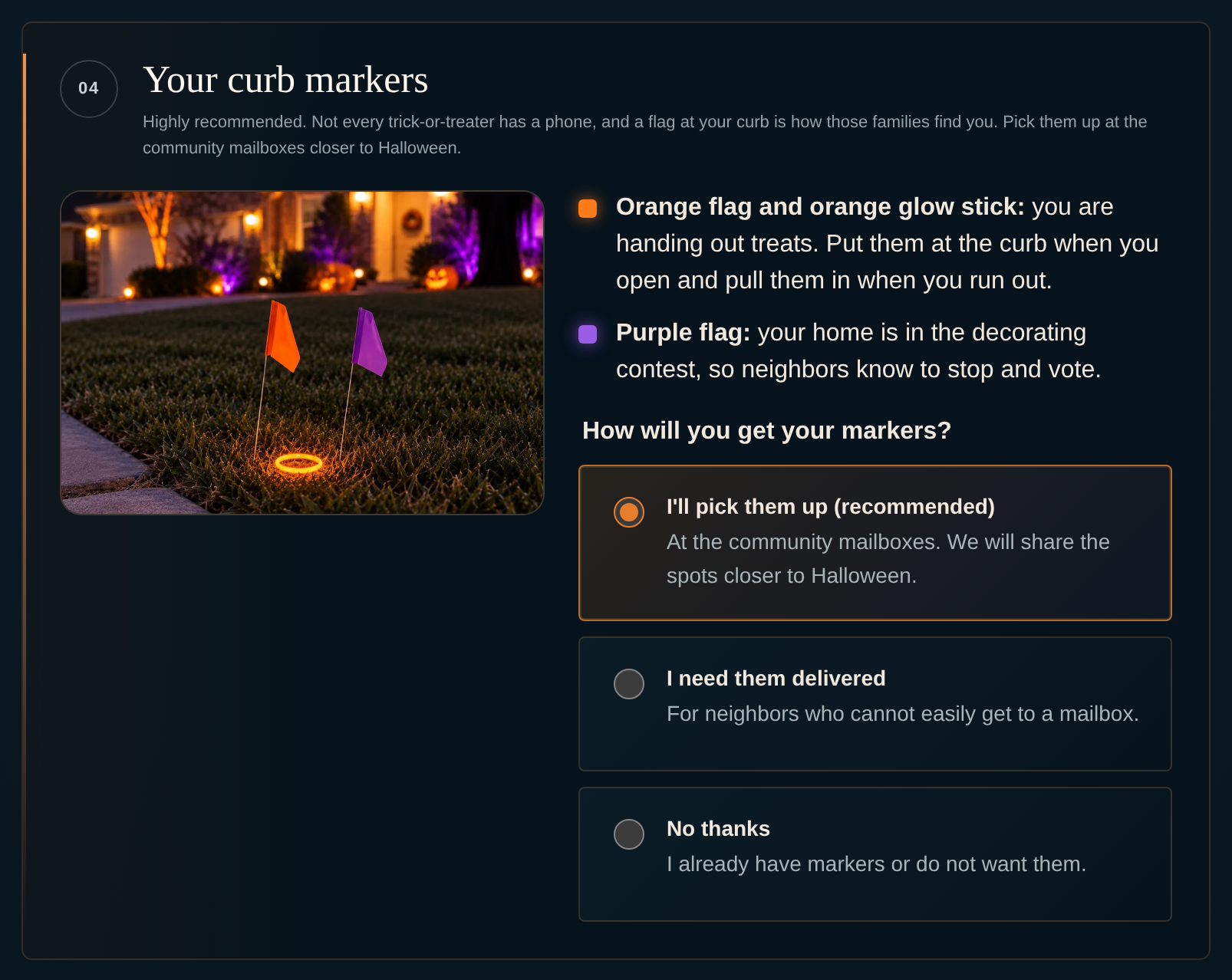
- The recommended choice.
- Keep I'll pick them up (recommended) selected.You pick up your markers at the community mailboxes. The pickup spots will be shared closer to Halloween.
If you cannot get to a mailbox#
Delivery is only for neighbors who find it hard to get to a mailbox. No thanks is for homes that already have markers or do not want them.
- Choose I need them delivered.A Reason for delivery menu opens, with a box for Anything we should know? below it.
- Pick Senior, Mobility or disability, Medical or Other in Reason for delivery.Your choice shows in the menu. The note box is optional unless you pick Other.
Move to step 3#
- Click Continue.Step 3 opens. The heading reads Set your hours.
Step 2 is complete. Your options, treat choices, contest award and curb marker choice are set.
Troubleshooting
Choose at least one way to take part.Not entered in the contest yet. Check an award above to enter.