Edit your home, hours and participation
Change your public description, opening hours, warnings or ways to take part.
On this page
Sign in to Manage My Stop. Editing a listing earns 0 points. Adding an eligible hosting activity can qualify for its one-time hosting points.
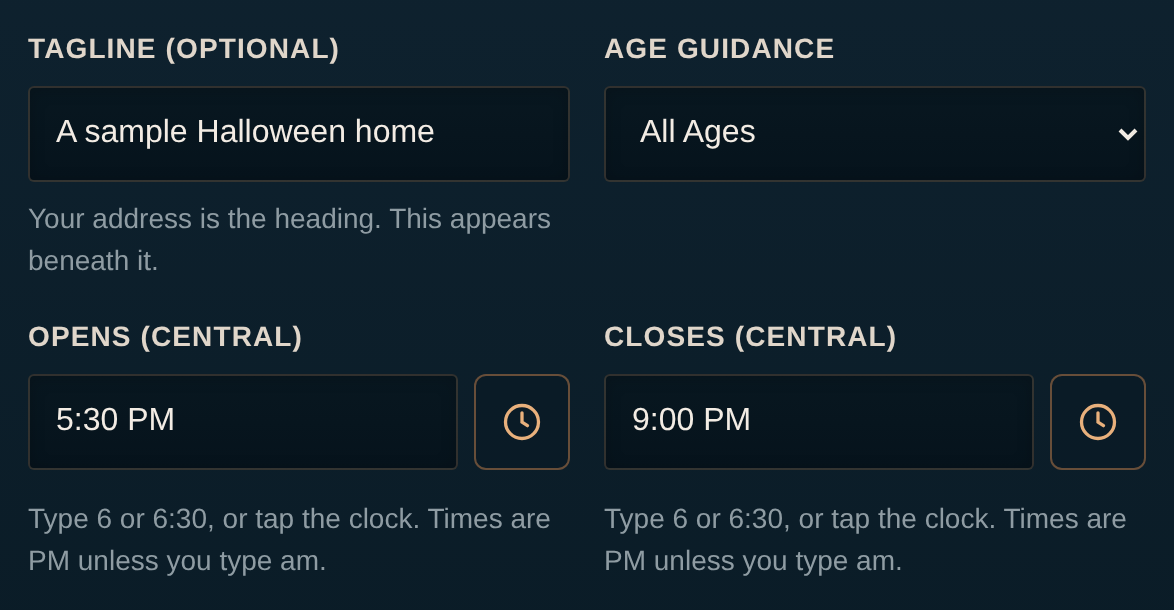
- Opening time, in Arlington local time.
- Closing time must follow opening.
- Tap Open editor under Hours & Details.The Edit public listing and participation dialog opens.
- Change the fields you need.The dialog keeps your other listing details.
- Tap Save listing.The dialog closes and a confirmation appears.
- Tap View public listing.Your saved public details open.
Set hours#
Enter both Opens (Central) and Closes (Central) when changing hours. Closing must follow opening. These are Arlington local times on Halloween. Each home can choose hours within its own plans; check the public preview after saving.
Help families choose a stop#
Add a short tagline, public description and treat note. Choose age guidance, a scare level and accurate features or warnings. If the route-safety questions appear, describe steps, curb access, lighting and other conditions accurately. Scare guidance helps parents choose; it does not change your decorating score.
Add or change how you take part#
- Use Hand out candy to add a treat stop. Stop handing out candy removes that part of the listing.
- Use the decorations card to set how scary your display is. Decorating alone does not enter the contest.
- Choose one award and Enter the contest to request a contest entry. Add a current-season photo before neighbors can rate it.
- Use Add haunted house to provide a title, opening time, optional closing time, scare level and a photo. Manage other activities through Manage activities.
Remove your whole listing#
Choose Withdraw listing in Manage My Stop, then confirm Withdraw listing in the dialog. Closing the dialog keeps your listing. Shared family access cannot withdraw the home. Ask Tyler for help if you need to correct the private contact name or street address; those fields are not in the public editor.
Your public listing reflects the details and hours you saved.